
Is Mottle a game?
Yes. In Mottle: Hide & Seek, you steer a small creature through a garden patrolled by Seekers. Dragging takes you toward the golden fireflies that earn points. It also makes you stand out against the ground. Lift your finger or release the mouse button and the creature gradually takes on the color of the patch beneath it. You can see the change happen while a Seeker’s light sweeps past.
Try a tiny experiment on your first turn. Pick a firefly close to your starting tile, travel just far enough to collect it, and stop. Watch the Camo meter while your hand is off the controls. Once you see how long the color change takes, the decision about whether to cross another tile starts to make sense.
You can spot the difference between two kinds of feedback without reading every label at once. Watch your creature when you move across a patch, then watch the nearest Seeker. Your color tells you how exposed you are. The direction of its light tells you whether anything is looking. A bright creature outside the light can still make a safe crossing. The same crossing becomes much riskier when a beam turns toward you.
Who made Mottle, and when did it come out?
Star Lord is the creator credited on 8x.gg. The platform lists September 22, 2026 as the publication date for Mottle — Hide & Seek and identifies it as a free browser game. If you have seen a clip of the garden without its title, the little creature, floating fireflies and moving cones of light are good clues that you have found the same game.
The board above loads that hosted game. Open original takes you straight to its standalone player, which is handy if you want a little more room on a phone. The creator credit beside the board goes to a different place: the 8x.gg listing where you can check the title and author for yourself.
View the original game listing on 8x.ggWhy does it look like a board game?
A still image shows a square grid of colored patches, a little like a board laid out for a tabletop game. Those squares are hiding places in Star Lord’s browser game. Watch it for a few seconds and the difference becomes clear. A Seeker can turn its light toward your tile while you are deciding where to go. Waiting is a move you make in real time, and getting the timing right matters as much as picking a destination. The English word “mottle” refers to patches of different colors, which explains both the garden pattern and the creature’s disguise.
Read about the meaning of MottleStart a round and pick a destination
Select Play Game to load the garden. Your run begins when you tap or click the board. Score, Lives and Round appear once your turn begins. If a creature moves before you have touched the board, you are watching the opening demonstration. It gives you a chance to follow the lights and pick out the golden pickups before the first countdown.
Tap or click inside the board to leave the animated opening screen. When the countdown appears, look for one nearby firefly and a place to stop after picking it up. A short crossing gives you time to notice which way the nearest Seeker is turning. On a touchscreen, start the gesture inside the board. A swipe on the guide beside it scrolls the page instead.
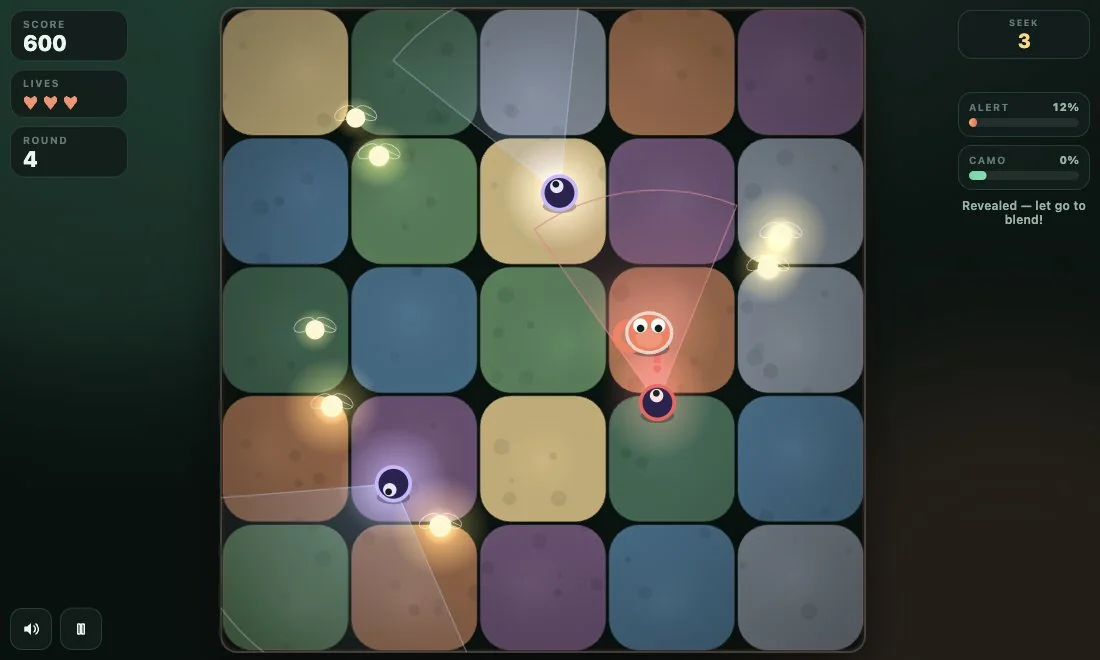
Move for a firefly, then settle into the tile
Hold and drag to steer. Pass close enough to the glowing firefly and it disappears into your score. Each one is worth ten points. Now let go completely. Holding your finger down while you think about the next move is an easy habit to miss. Use the Camo meter to tell when you have settled, and watch the Alert meter if a light catches you on the way. A rising Alert gives you a chance to stop before you lose a life.
Try aiming just past a pickup so your creature passes close to it. On a phone, your fingertip can cover the very spot you are checking. Look at the score after the crossing to see whether the pickup counted. On a keyboard, click inside the game and use the arrow keys or W, A, S and D to steer. Release the movement keys when you reach your spot. This lets you watch the creature change color without a finger or pointer covering it.
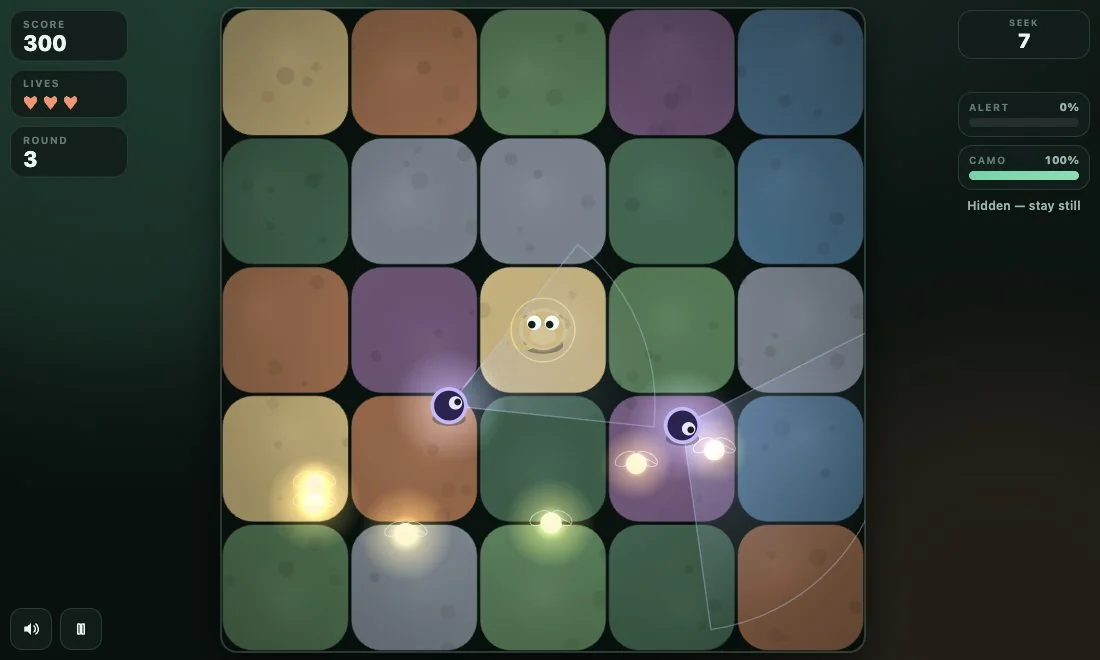
Finish the round with the timer in view
You clear a round by lasting until the Seek timer runs out. You can leave a firefly on the far side of the board and still advance. Clearing the first round gives you a hundred points, the same score as collecting ten fireflies. With only a moment left and a Seeker facing the last pickup, staying on your patch can be the more rewarding choice. When the next round begins, take a fresh look at the garden before setting off.
A full Alert meter costs one of the three lives you started with. If a heart remains, you get another countdown in the same round. Watch the Round number and the hearts to distinguish that restart from advancing. For a quick scoring challenge, try collecting just one firefly and clearing the first round on your first life. You should see 110 points, ten from the pickup and a hundred from the round. That gives you a score to beat on your next attempt.
See the rules for lives and scoring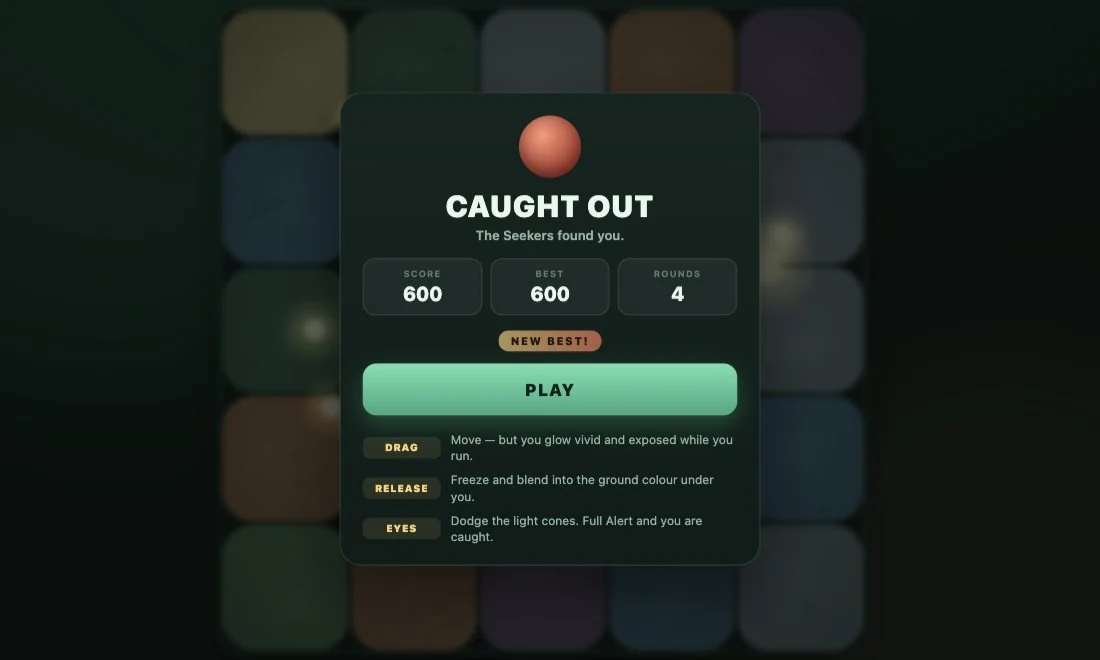
Do I need an app, and can I play on a phone?
The published version runs in a browser on a phone or computer. You can start from this page without installing an APK. On a small screen, the full-screen button gives the board more space. If the guide appears in your chosen language but the game still says Seek or Camo, that is expected: the guide has translations, while the original player currently uses English. To return to the same version another day, bookmark this guide or the original game listing.
If you want to rotate your phone while a run is underway, pause the game first, turn the device, and choose Resume after you can see the board comfortably. The speaker icon lets you silence the game separately. You can still track an approaching beam by sight, confirm a pickup from the score and see a catch in the row of hearts. These cues also work if you are playing somewhere you cannot turn the sound on.
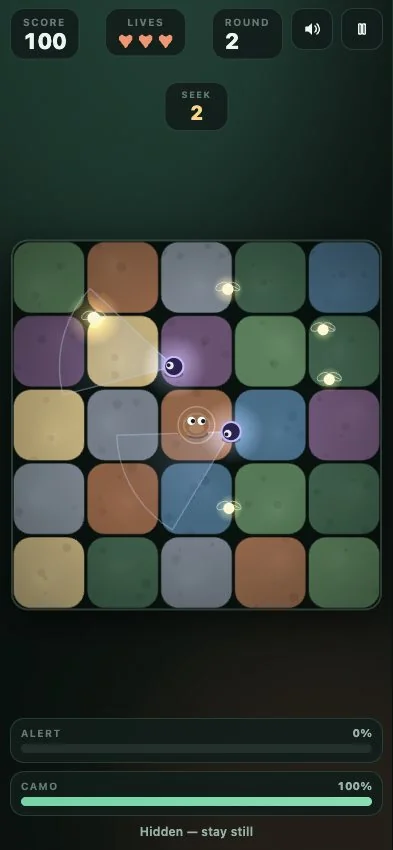
How can I follow Star Lord’s version of Mottle?
The copy you can play here is the live browser release hosted for 8x.gg. Loading the board requests that game from its host, so a change published upstream can appear here without a new download. The publication date on the creator’s listing tells you when the title was released. It does not give a date or a list of changes for each revision.
If the board looks different on a return visit, check the title and creator on 8x.gg first. The garden can also change between runs. Compare a detail that carries across gardens, such as the label of a control or what the score does when you collect a firefly. When sharing a tip with a friend, send the creator’s listing along with it so they can try it in the same game. If the scoring or the rules change, follow the counters and instructions in the current 8x.gg player. A dated screenshot can help you compare versions, but the game on the creator’s page is the reference for your next round.
Check Star Lord’s current release on 8x.ggHow does Mottle compare with other hiding games?
In a prop hunt, you might turn into a chair to match a room. Here your creature keeps its shape and borrows the color of the tile beneath it.
In playground hide-and-seek, a hiding place can keep you out of sight for a whole turn. Here a light can sweep the same tile more than once.
In a multiplayer chase, another person might learn your habits. Mottle’s garden has computer-controlled Seekers, so you can start a round on your own.
In a collection game, the final pickup often completes the level. Mottle lets you trade another firefly for a better chance of surviving the clock.
Compare three browser games with stealth or camouflage